
Latest Version
Version
2.4
2.4
Update
September 15, 2026
September 15, 2026
Developer
Protectstar Inc.
Protectstar Inc.
Categories
Tools
Tools
Platforms
Android
Android
Downloads
0
0
License
Free
Free
Package Name
com.protectstar.antivirus
com.protectstar.antivirus
Report
Report a Problem
Report a Problem

More About Antivirus AI - Virus Scanner
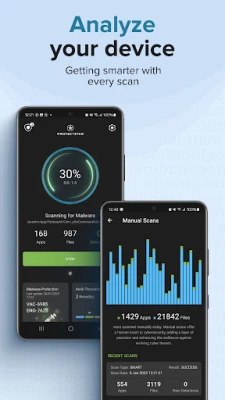
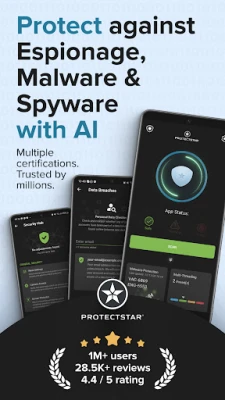
Antivirus AI by Protectstar is an antivirus app and virus scanner for Android. Check apps, files and APKs for malware, spyware and other threats, review the results and take action. Security for the phone you use for banking, shopping, work and everyday life.
Start with a free manual scan. For ongoing background protection, PRO and GOV add real-time protection and scheduled scans.
Independently tested
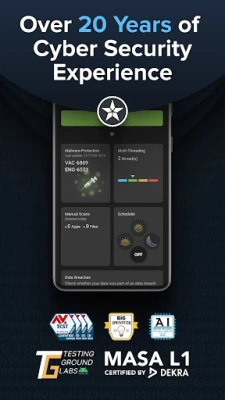
Antivirus AI received AV-TEST certification in 2023, 2024 and 2025. Its app security has also been assessed under DEKRA MASA L1. These are different checks: antivirus testing evaluates protection, performance and usability, while MASA examines defined app-security requirements.
Scan apps, files and APKs
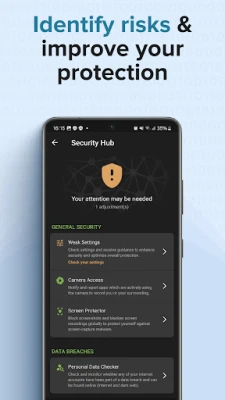
Check installed apps and downloaded APK files with an AI-powered malware scanner. Before installing an app from an unfamiliar source, scan the APK and review any findings. Run another check after installing new software or whenever you want to review your phone's security.
• Scan on demand, when it suits you.
• Check apps and files for known and suspicious threats.
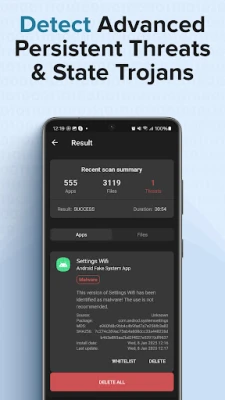
• Detect malware, spyware, ransomware and banking trojans.
• Find harmful adware and potentially unwanted apps.
• Review detected threats and follow the available removal steps.
Malware removal with a clear next step
A warning should help you decide what to do. Antivirus AI shows detected threats so you can review the finding rather than guess. Remove harmful files or follow Android's uninstall process for a detected malicious app. Quarantine options are available according to your edition and the type of finding.
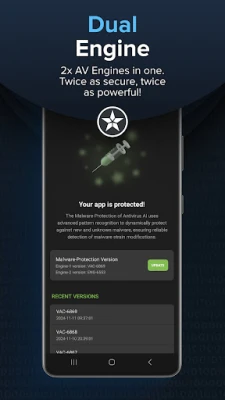
Two engines, one focused security app
Dual Engine combines signature-based detection with AI analysis. Known malware can be matched against existing signatures, while suspicious patterns and behavior provide additional clues about new or disguised threats. This gives your antivirus scan more than one way to assess a risk.
Deep Detective™ adds heuristic analysis. Protectstar AI CLOUD supports threat analysis and the distribution of updated protection rules. Together, these technologies support the detection of suspicious software and help you decide how to respond to a finding.
Privacy without advertising
No ads. No advertising trackers. No sale of personal data. Security features may process technical app, file and device information as explained in our privacy policy and the Google Play Data safety section. Privacy means being clear about what is processed and why.
Protection that fits your routine
Use a virus scan to check a newly downloaded APK, review an unfamiliar app or investigate unexpected pop-ups. Unusual battery or data use alone does not prove an infection; a scan can help you check for detectable threats. Keep Android and your apps updated alongside your antivirus protection.
Choose your level of protection
FREE lets you run manual antivirus scans without a subscription. PRO adds real-time malware protection in the background and scheduled scans. GOV includes PRO features with additional security options for more demanding use cases. Compare the included features in the app before choosing an upgrade.
Paid features require a purchase. Prices, billing periods and any trial conditions are shown before confirmation. Subscriptions purchased through Google Play can be managed in Google Play.
Virus removal, not storage cleaning
Looking for a virus cleaner? Antivirus AI helps remove detected malware. It does not clear junk files or boost RAM. No scan can guarantee detection of every threat.
Comparing antivirus apps? Start with a scan, review the result and choose the protection that fits your Android.
Independently tested
Antivirus AI received AV-TEST certification in 2023, 2024 and 2025. Its app security has also been assessed under DEKRA MASA L1. These are different checks: antivirus testing evaluates protection, performance and usability, while MASA examines defined app-security requirements.
Scan apps, files and APKs
Check installed apps and downloaded APK files with an AI-powered malware scanner. Before installing an app from an unfamiliar source, scan the APK and review any findings. Run another check after installing new software or whenever you want to review your phone's security.
• Scan on demand, when it suits you.
• Check apps and files for known and suspicious threats.
• Detect malware, spyware, ransomware and banking trojans.
• Find harmful adware and potentially unwanted apps.
• Review detected threats and follow the available removal steps.
Malware removal with a clear next step
A warning should help you decide what to do. Antivirus AI shows detected threats so you can review the finding rather than guess. Remove harmful files or follow Android's uninstall process for a detected malicious app. Quarantine options are available according to your edition and the type of finding.
Two engines, one focused security app
Dual Engine combines signature-based detection with AI analysis. Known malware can be matched against existing signatures, while suspicious patterns and behavior provide additional clues about new or disguised threats. This gives your antivirus scan more than one way to assess a risk.
Deep Detective™ adds heuristic analysis. Protectstar AI CLOUD supports threat analysis and the distribution of updated protection rules. Together, these technologies support the detection of suspicious software and help you decide how to respond to a finding.
Privacy without advertising
No ads. No advertising trackers. No sale of personal data. Security features may process technical app, file and device information as explained in our privacy policy and the Google Play Data safety section. Privacy means being clear about what is processed and why.
Protection that fits your routine
Use a virus scan to check a newly downloaded APK, review an unfamiliar app or investigate unexpected pop-ups. Unusual battery or data use alone does not prove an infection; a scan can help you check for detectable threats. Keep Android and your apps updated alongside your antivirus protection.
Choose your level of protection
FREE lets you run manual antivirus scans without a subscription. PRO adds real-time malware protection in the background and scheduled scans. GOV includes PRO features with additional security options for more demanding use cases. Compare the included features in the app before choosing an upgrade.
Paid features require a purchase. Prices, billing periods and any trial conditions are shown before confirmation. Subscriptions purchased through Google Play can be managed in Google Play.
Virus removal, not storage cleaning
Looking for a virus cleaner? Antivirus AI helps remove detected malware. It does not clear junk files or boost RAM. No scan can guarantee detection of every threat.
Comparing antivirus apps? Start with a scan, review the result and choose the protection that fits your Android.
Rate the App
Add Comment & Review
User Reviews
Based on 0 reviews
No reviews added yet.
Comments will not be approved to be posted if they are SPAM, abusive, off-topic, use profanity, contain a personal attack, or promote hate of any kind.














More »

Popular Apps

Free Fire: 9th AnniversaryGARENA INTERNATIONAL I

World War 2-FPS Shooting GamesEdkon Games GmbH

PUBG MOBILE 4Level Infinite

Big Rig Racing: Drag racingMobirate

World War Heroes — WW2 PvP FPSAzur Interactive Games Limited

World War 2:WW2 Strategy GamesJoynow Studio

Grand Theft Auto: San AndreasRockstar Games
Last Island of SurvivalHK Hero Entertainment Co., Limited
Dawn of Zombies: Survival GameRoyal Ark

AoD Vikings: Valhalla GameRoboBot Studio
More »
Editor's Choice
Last Island of SurvivalHK Hero Entertainment Co., Limited

Grim Soul: Dark Survival RPGBrickworks Games Ltd

Craft of Survival - Gladiators101XP LIMITED

Last Shelter: SurvivalLong Tech Network Limited
Dawn of Zombies: Survival GameRoyal Ark

Merge Survival : WastelandStickyHands Inc.
AoD Vikings: Valhalla GameRoboBot Studio

Viking Clan: RagnarokKano Games

Vikings: War of ClansPlarium LLC

Asphalt 9: LegendsGameloft SE